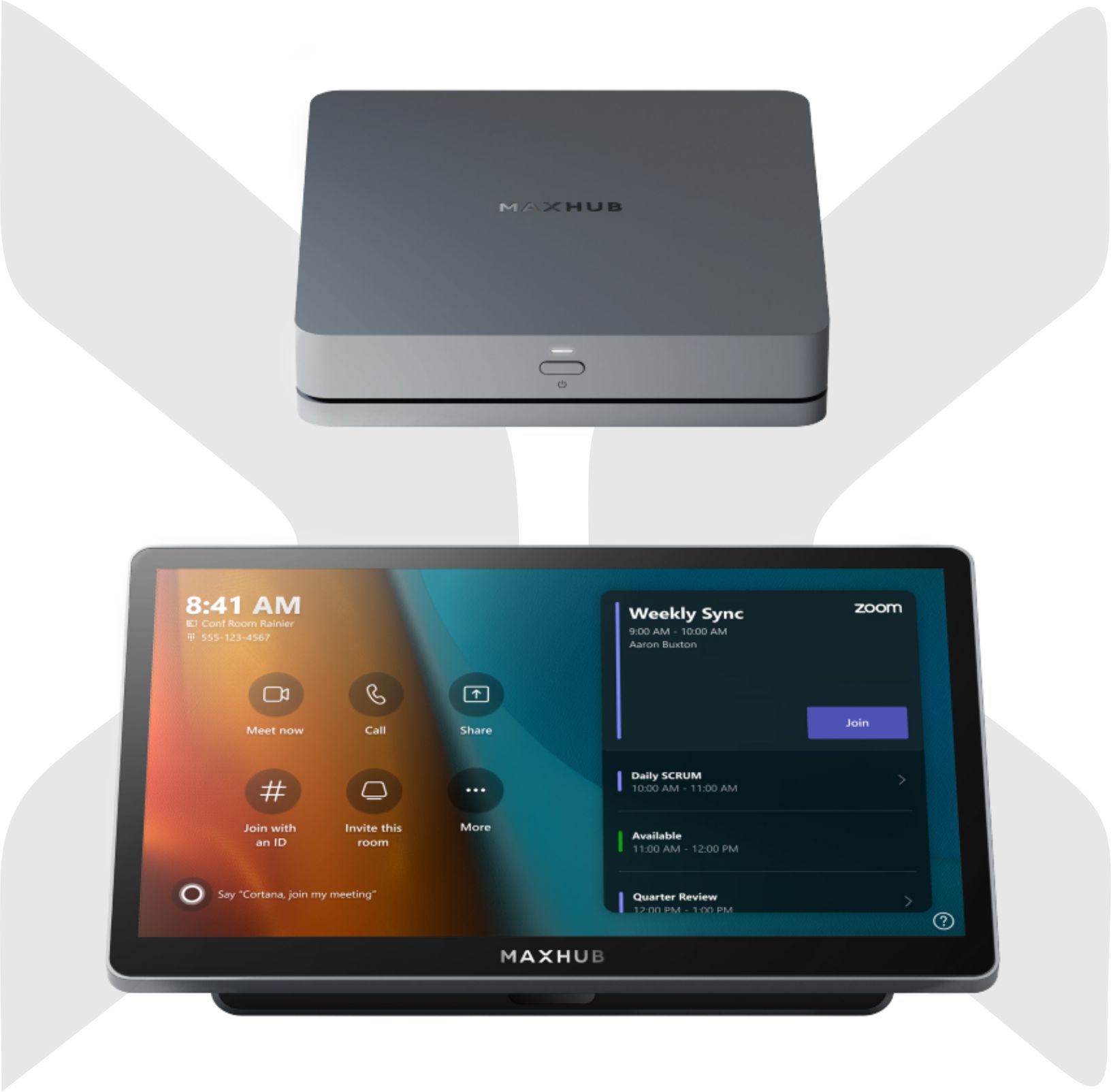
MAXHUB XCore Kit for Microsoft Teams Rooms
Turn an existing BYOM meeting room into a dedicated Microsoft Teams Room without replacing the complete AV system. The MAXHUB XCore Kit combines a Windows Teams Rooms compute unit and touch console, allowing it to work with compatible existing displays, cameras, microphones and speakers. Visual Works can assess compatibility, install, configure, train and support your solution.
Keep compatible displays, cameras, microphones and speakers
Add a dedicated Teams Rooms experience without replacing the complete AV system
Installation
Turn Your Existing BYOM Room into a Microsoft Teams Room
The MAXHUB XCore Kit helps organisations convert compatible BYOM meeting spaces into dedicated Microsoft Teams Rooms without replacing the complete AV system. It combines a Windows-based Teams Rooms computer with a dedicated touch console, allowing compatible existing displays, cameras, microphones and speakers to remain part of the room solution.
Protect More of Your Existing AV Investment
Many meeting rooms already contain useful AV equipment but still rely on users connecting laptops and launching meetings manually. The XCore Kit adds a dedicated Microsoft Teams Rooms experience while helping organisations retain compatible room equipment.
- Upgrade suitable BYOM spaces to Microsoft Teams Rooms
- Continue using compatible existing AV peripherals
- Reduce unnecessary equipment replacement
- Create a consistent, dedicated Teams meeting experience
- Simplify room operation for everyday users
What the XCore Kit Includes
- XC13T Windows compute: Runs Microsoft Teams Rooms on Windows 11 IoT Enterprise.
- TCP20T touch console: A 10.1-inch high-resolution control panel for starting meetings, managing calls and sharing content.
- One-cable connection: Connects the compute unit and touch console for a cleaner installation.
- Content sharing input: Supports wired HDMI content sharing from a connected device.
- Motion sensor: Automatically wakes the console when users approach.
Designed for Flexible Room Integration
The XCore Kit can be paired with compatible room displays, USB cameras, microphones, speakerphones and other supported AV equipment. This makes it suitable for organisations that want a dedicated Teams Rooms solution while keeping more of their existing infrastructure.
Ideal For
- Focus rooms and small meeting rooms
- Existing BYOM rooms requiring a dedicated Teams experience
- Meeting-room upgrade and standardisation projects
- Organisations moving from laptop-based meetings to Microsoft Teams Rooms
- Rooms with compatible displays and USB conferencing peripherals already installed
Compatibility Assessment Is Important
Existing room equipment must be checked for Microsoft Teams Rooms compatibility before installation. Visual Works can assess the display, camera, microphones, speakers, cabling, connectivity and room layout before recommending the final configuration.
Visual Works Supply, Installation and Support
Visual Works can assist with site assessment, compatibility checks, product supply, mounting, cabling, installation, configuration, commissioning, user training and after-sales support.
Already have AV equipment in the room? Request a quotation and tell us what is currently installed. Our team will help determine whether the MAXHUB XCore Kit can convert your space into a dedicated Microsoft Teams Room.
Additional information
| Solution type | Microsoft Teams Rooms Windows compute and touch console kit |
|---|